How to Calibrate HVAC Thermostats and Sensors
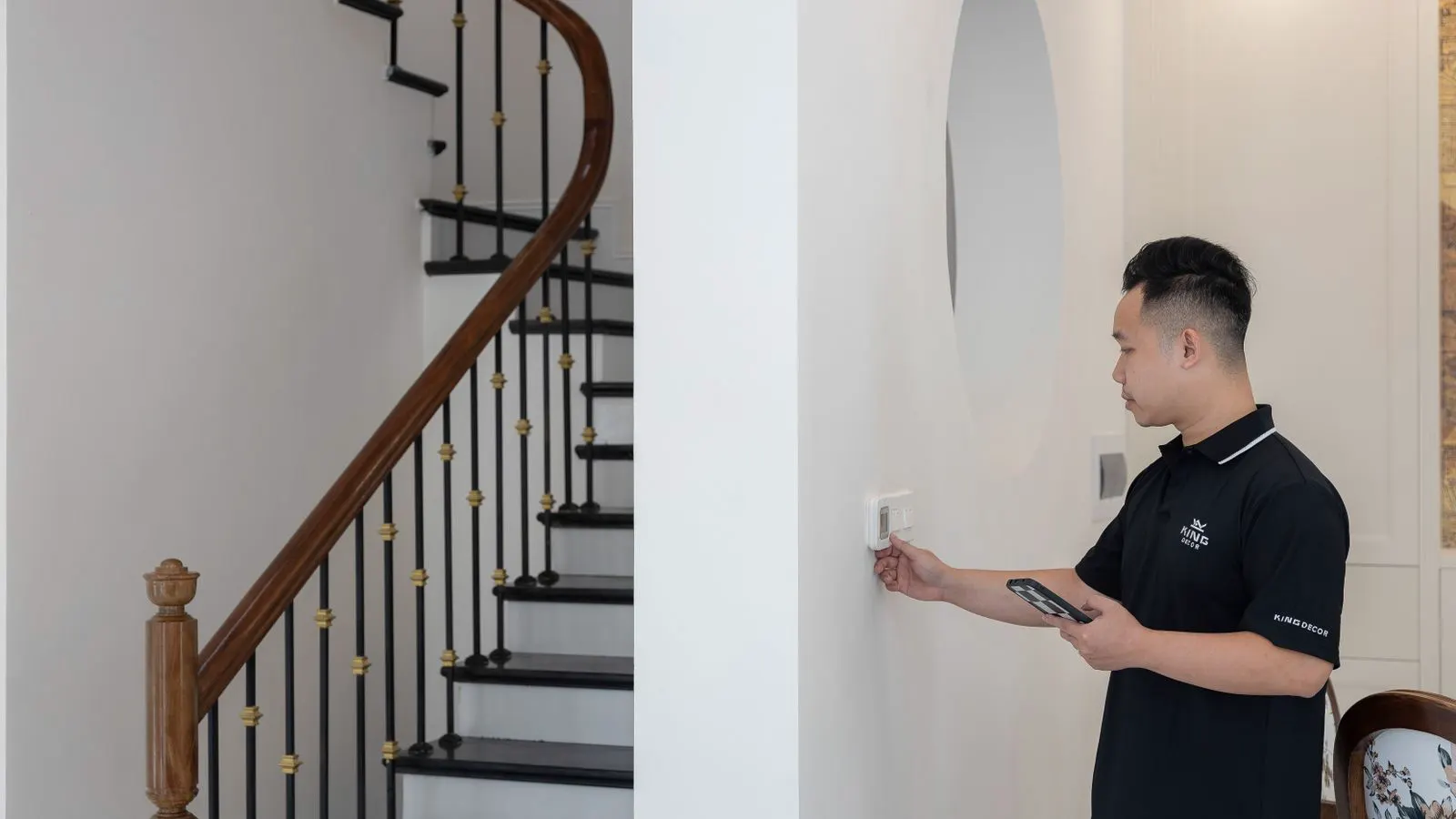
Calibrate thermostats and sensors by comparing readings against reference instruments, adjusting set points, and testing system response. This process ensures HVAC equipment operates within design tolerances, maintaining comfort and efficiency during routine inspections.
- Use a calibrated reference thermometer to verify sensor accuracy before adjusting set points.
- Inspect sensor placement for air leaks and direct heat exposure that cause drift.
- Document baseline readings and final adjustments to track drift over the equipment lifecycle.
- Test heating and cooling cycles to confirm the control system responds within expected ranges.
Why thermostat accuracy matters in HVAC systems
Thermostat calibration determines how often a system cycles and how precisely it holds the desired temperature. A drifting sensor can cause short cycling, excessive energy use, and uneven temperature distribution across a zone. Professional buyers and engineers treat sensor accuracy as a core part of HVAC equipment inspection because small deviations compound over time.
In commercial and industrial settings, temperature sensors feed data to controllers that manage compressors, fans, and valves. If the sensor reads two degrees too high, the system cools less than intended. If it reads two degrees low, the system runs longer than necessary. Both scenarios increase wear on mechanical components and raise operating costs.
Consider a large air handling unit serving a conference center. If the supply air sensor drifts upward by three degrees, the controller believes the room is warmer than it actually is. The unit reduces compressor output or shuts down prematurely. Occupants in the rear of the room feel a chill, while the front remains comfortable. The building management system shows the set point is met, but the physical reality is different. This mismatch creates complaints that appear unrelated to the equipment.
Thermostats also protect mechanical parts. Compressors, heat exchangers, and expansion valves rely on stable temperature feedback to manage pressure. When a sensor drifts, the controller may push components beyond their design parameters. A chiller operating with a faulty water temperature sensor might run at higher pressures than intended, stressing the refrigerant circuit. Over time, this leads to seal failures and higher repair costs.
Accuracy also affects indoor comfort standards. People perceive temperature changes more slowly than sensors do. A sensor that reacts too quickly or too slowly creates a lag between the actual air temperature and the controller’s response. This lag causes the system to overshoot the set point, leading to thermal discomfort. Precise calibration ensures the system responds to real air temperature, not phantom signals from a faulty probe.
Prerequisites for calibration work
Before touching any controls, gather the proper tools and documents. A calibrated reference thermometer or infrared sensor with a known accuracy rating is required. A multimeter helps check sensor continuity if the system uses resistive probes. You will also need the equipment nameplate data, the controller manual, and access to the system’s maintenance log.
Confirm the system is powered down or in a safe state before working on electrical components. If the unit is a variable refrigerant flow system or a central chiller, check the lockout tagout status. For air handling units, verify that supply and return airflows are stable. Unstable airflow causes false readings that mimic sensor failure.
Safety is the first priority. Never bypass safety controls or disable high-limit switches during calibration. Use insulated tools for any electrical connections. Keep a notepad or tablet ready to record baseline readings.
Check the reference instrument’s calibration certificate. A reference thermometer that has expired or was not calibrated recently is useless. The reference must be more accurate than the sensor being tested. If the reference is a handheld infrared gun, ensure it is rated for air temperature measurement, not just surface temperature. Infrared guns measure radiation, not air, and require specific settings to avoid errors.
Gather the correct wiring diagram. HVAC controls vary widely. Some systems use two-wire resistive probes, while others use four-wire configurations to compensate for wire resistance. A three-wire thermocouple requires a different connection method than a two-wire RTD. Using the wrong wire gauge or connection style introduces error. If you do not have the diagram, locate the controller and trace the wires carefully. Do not guess.
Prepare a stable environment. If you are calibrating a room thermostat, move the reference thermometer to the same location as the sensor. If you are calibrating a duct sensor, ensure the duct is full of air. An empty duct section will not provide a representative reading. For chilled water systems, ensure the pump is running and the water flow is steady. Stagnant water creates temperature stratification that skews readings.
Step-by-step calibration process
- Record baseline readings. Set the thermostat to a stable target, such as 72 degrees Fahrenheit, and allow the system to reach equilibrium for at least one full cycle. Measure the actual air temperature near the sensor with your reference instrument. This step establishes the current drift and prevents you from adjusting based on a transient reading.
Wait for the system to stabilize. If the compressor has just started, the air temperature near the sensor may still be changing. Allow at least ten minutes of steady state before taking the first reading. Record the time, the ambient temperature, and the set point. If the building management system is available, note the current control output. This baseline data helps identify if the controller is responding correctly to the sensor input.
- Isolate the sensor from environmental interference. Check that the sensor is not facing a supply air duct, a heat source, or a window. Move the sensor if the manufacturer allows repositioning. Poor placement is a common cause of apparent calibration error.
Inspect the sensor housing. Dust buildup, paint splatter, or condensation can block the sensing element. Clean the housing with a dry cloth or compressed air, but avoid touching the sensing element with your fingers. Body heat and oils can alter the reading. If the sensor is mounted in a duct, ensure the duct is not leaking air. A leak near the sensor can introduce unconditioned air, creating a localized temperature zone that misleads the controller.
- Compare sensor output to reference values. Use the multimeter to read the resistance or voltage from the probe. Match this value against the manufacturer’s datasheet. If the reading falls outside the specified tolerance, the sensor likely needs replacement rather than adjustment.
For an RTD, measure the resistance at the sensor terminals. A PT100 should read 100 ohms at 0 degrees Celsius. At 20 degrees Celsius, it should read approximately 108 ohms. If the reading is significantly higher or lower, the sensor is failing. For a thermistor, the resistance changes non-linearly with temperature. Use the datasheet curve to compare. If the resistance value does not match the expected value at the current temperature, the probe is degraded.
- Adjust the thermostat set point. Most digital thermostats have a calibration menu or a set point offset feature. Change the offset by small increments, such as one degree at a time. The goal is to align the controller’s perceived temperature with the reference instrument reading.
Do not adjust the offset by more than two degrees at a time. Large adjustments can mask a failing sensor. If the sensor is drifting, an offset correction will only delay the problem. Make a small change, wait for the system to stabilize, and re-measure. Repeat until the controller’s reading matches the reference within the acceptable tolerance.
- Verify sensor response time. Turn the system to a heating or cooling mode and observe how quickly the temperature changes. A healthy sensor should respond within a few minutes. If the reading lags significantly, check the wiring for corrosion or loose crimp connections.
Blow warm air or cold air across the sensor and watch the reading on the controller. The response should be smooth and proportional. If the reading jumps or sticks, the sensor is faulty. If the response is slow, check for insulation on the sensor stem or a blocked airflow path. A sensor buried in insulation will lag behind the actual air temperature, causing the system to overshoot the set point.
- Test the full control range. Run the system through a full heating cycle and a full cooling cycle. Monitor the start and stop points. The system should start and stop at the expected temperatures, not at arbitrary points that suggest sensor drift or controller fault.
Observe the controller’s differential settings. Most thermostats have a hysteresis or differential setting, often one or two degrees. The system should start when the temperature drops below the set point minus the differential and stop when it rises above the set point plus the differential. If the system starts and stops at random points, the sensor or controller is faulty. Check the wiring again. A loose connection can create intermittent signals that confuse the controller.
- Document the final settings. Record the original set point, the adjustment made, and the final reading. Include the date, the technician’s name, and the reference instrument serial number. This documentation supports future maintenance claims and helps identify recurring drift patterns.
Store the data in a format that is easy to retrieve. A photo of the controller screen and a handwritten note are both acceptable. If the building uses a computerized maintenance management system, enter the data there. Consistent records allow facilities managers to track sensor health over years.
Common calibration mistakes
Technicians often make the same errors when performing HVAC thermostat calibration. The most frequent mistake is adjusting the set point without verifying the sensor first. If the probe is failing, changing the set point only masks the problem. The system will continue to cycle incorrectly once the sensor drifts further.
Another error is calibrating under unstable conditions. If outside air is blowing directly into the sensor housing, or if the duct is still cold from a recent start, the reading will be skewed. Wait for steady state before making adjustments.
Poor wiring is another frequent issue. Corroded terminals on a 100 ohm or 200 ohm probe can add extra resistance, shifting the reading. Clean or replace the connection if the multimeter shows inconsistent values. Oxidation on a terminal can add several ohms of resistance, which is significant for a PT100. Even a small amount of corrosion can shift the temperature reading by several degrees.
Do not ignore the controller’s internal temperature sensor. Some controllers have a backup sensor inside the unit. If the external sensor fails, the controller may switch to the internal sensor. This internal sensor is often located near the power supply, which generates heat. It will read higher than the actual air temperature. If you calibrate against the internal sensor, you will get an incorrect result. Always use the external sensor for calibration.
Avoid calibrating during extreme weather conditions. If the outside temperature is very hot or cold, the building envelope may be leaking air, creating temperature gradients. Wait for normal operating conditions before performing calibration.
Table of typical sensor tolerances
The table below shows typical accuracy ranges for common temperature sensors used in commercial HVAC equipment. Always verify these ranges against the specific manufacturer’s datasheet.
| Sensor Type | Typical Accuracy Range | Common Application |
|---|---|---|
| Thermistor (NTC) | Plus or minus 0.5 degrees C | Indoor air temperature sensing |
| RTD (PT100) | Plus or minus 0.1 degrees C | Chiller and boiler control |
| Thermocouple | Plus or minus 1.0 degrees C | High-temperature exhaust monitoring |
| Infrared Sensor | Plus or minus 2.0 degrees C | Surface temperature verification |
Final verification and system test
After calibration, perform a final verification test. Set the thermostat to a target that requires a full heating cycle. Measure the return air temperature at the start and end of the cycle. The system should stop when the sensor reads the target temperature, plus or minus the controller’s differential. Repeat the test in cooling mode.
Check the system’s operating log or history function, if available. Look for patterns that suggest the sensor is still drifting. If the start and stop temperatures shift over multiple cycles, the sensor may be degrading. Plan a replacement before the next maintenance window.
A final check of the HVAC equipment inspection checklist ensures that other components are not contributing to the issue. Verify that filters are clean, belts are aligned, and condenser coils are free of debris. These factors affect airflow and can mimic sensor problems.
If the filters are clogged, the airflow through the sensor may be reduced. This can cause the sensor to read the temperature of a stagnant air pocket rather than the moving air stream. Clean the filters and re-test. If the belts are loose, the fan may not provide adequate airflow, creating similar issues. Ensure the condenser coils are clean. Dirty coils reduce heat transfer, causing the system to run longer and the sensor to experience higher temperature swings.
Maintenance frequency and documentation
Schedule thermostat calibration during annual maintenance. For high-use commercial spaces or industrial facilities, perform a check every six months. Keep a log of each calibration event. Track the drift over time. If the same sensor drifts by more than one degree per year, replace it proactively rather than waiting for a full failure.
Documentation also supports warranty claims. If a sensor fails under warranty, having a record of baseline readings and adjustments helps demonstrate that the unit was maintained properly. Store the logs in the building management system or a shared drive accessible to facilities staff.
Keep the reference instruments calibrated. A reference thermometer that is out of calibration will produce false results. Schedule calibration for your reference tools on the same schedule as the HVAC sensors. Use a certified reference standard for the calibration. If the reference instrument shows a significant difference from the primary standard, recalibrate the reference before using it on HVAC equipment.
When to replace rather than adjust
Some sensors should not be adjusted. If the reading jumps by several degrees with no change in the environment, the sensor is likely open or shorted. If the resistance does not change with temperature, the probe is dead. In these cases, replace the sensor. Attempting to calibrate a failed component wastes time and risks leaving the system out of control.
Also replace the sensor if the housing is cracked, water-damaged, or exposed to chemical vapors. Contaminants on the sensing element can cause permanent drift. A clean, undamaged sensor gives the most reliable reading for the life of the HVAC equipment.
If the sensor has been exposed to a high temperature spike, such as a compressor failure or a blocked fan, the sensing element may be damaged. Even if the reading appears normal, the sensor’s internal structure may be compromised. Replace the sensor after any event that could expose it to abnormal conditions.
Do not attempt to repair a damaged sensor. The sensing element is not a user-replaceable part. Any attempt to bypass or modify the sensor voids the warranty and compromises safety. Replace the entire sensor assembly if the housing or wiring is damaged.
Frequently asked questions
How often should you calibrate a commercial HVAC thermostat?
Calibrate thermostats during annual maintenance. High-use facilities should check sensors every six months to catch drift early.
Can you calibrate a thermostat without a reference thermometer?
No. A calibrated reference instrument is required to verify accuracy. Without it, you are guessing rather than measuring.
What is the difference between a sensor and a thermostat?
A sensor measures temperature. A thermostat uses that measurement to control the system. A faulty sensor can make a healthy thermostat appear broken.
Do all thermostats have a calibration feature?
Many digital thermostats have a set point offset. Basic mechanical thermostats usually do not. If the offset is unavailable, replace the unit.
How do I know if a sensor is failing?
A failing sensor shows erratic readings, no change with temperature, or resistance values outside the datasheet range. Check the multimeter reading before adjusting.